
BatchShift — HEIC, WebP, PNG in — JPG, PNG, HEIC or TIFF out, at the size you want. Private, offline, and your AI assistant can run it for you.
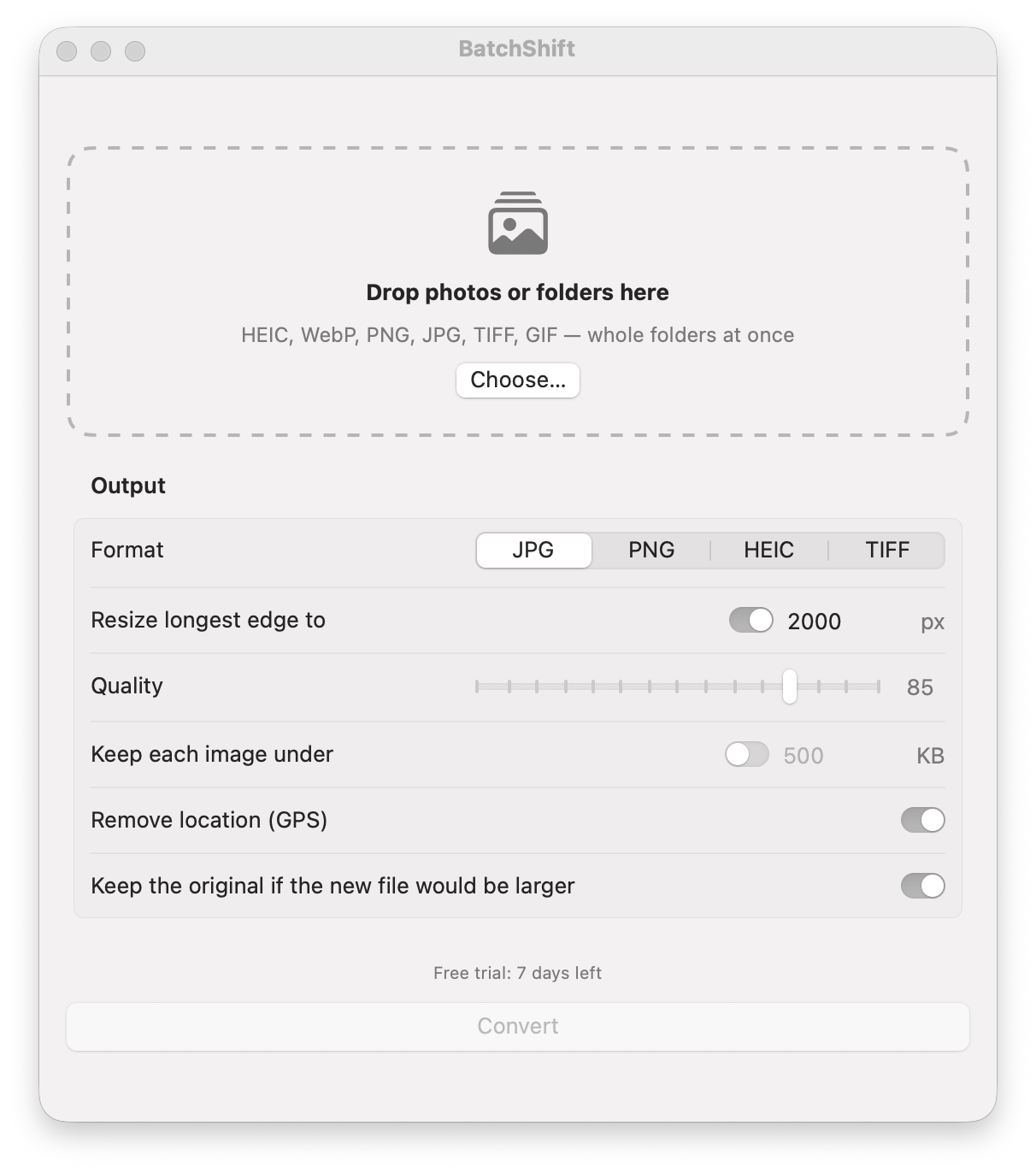
Convert a whole folder of photos in one drop
7-day full trial · no account · one-time purchase · macOS 14+
What it does
06Whole folders at once
Drop files or folders (with subfolders). Originals are never touched; results go to a Converted folder.
Right size, right weight
Resize to a longest edge and set quality — or just say 'under 500 KB' and BatchShift finds the best quality that fits.
Remove location
GPS is stripped by default. A separate tool removes location without re-compressing the photo.
Does the details right
Respects photo rotation, gives transparent PNGs a white background in JPG, and uses every CPU core.
Watch a folder
Point it at Downloads or a camera folder and new images are converted automatically.
Ask your AI
Claude, ChatGPT, Cursor, Siri and Shortcuts can run every action through a local MCP server and App Intents.
Just ask your AI
MCP · SHORTCUTS · CLIWorks with Claude, ChatGPT, Cursor, Siri & Shortcuts — say it in plain words
- “Convert every HEIC in Downloads to JPG, 2000 px wide”
- “Compress the POD-mockups folder so each image is under 500 KB”
- “Remove GPS location from the photos in this folder”
- “Convert the WebP files I downloaded today to PNG”
- “How much disk space has BatchShift saved me?”
Pay once
Stay private
Ask your AI
Private by design
03Runs on your Mac
Your photos never leave this Mac. BatchShift only goes online to check your license and, if you allow it, for updates.
No lock-in
Results stay in normal files you can open anywhere.
Small and fast
Built in Swift for macOS. Dark Mode, VoiceOver, keyboard first.
One-time purchase
$9
Use on up to 3 Macs · free updates for BatchShift 1.x · 14-day refund, no questions
Runs on Apple silicon and Intel Macs (macOS 14 or later). Hit a problem? Contact us — we'll fix it free, with priority.
FAQ
06Is this a subscription?
No. You pay once and keep the app. Updates for version 1.x are free.
Does it upload my photos?
No. Everything is processed on your Mac. The app only contacts the internet to check your license and, if you allow it, for updates.
Which formats are supported?
Input: HEIC/HEIF, WebP, PNG, JPG, TIFF, GIF, BMP, AVIF. Output: JPG, PNG, HEIC, TIFF.
Which languages does it support?
English, Vietnamese, German, French, Spanish, Portuguese (Brazil), Italian, Japanese, Korean and Simplified Chinese. The app follows your Mac's language.
Can I use it on more than one Mac?
Yes, on up to 3 Macs. You can move a license from Settings → License → Deactivate.
What if it doesn't work for me?
Try it free for 7 days. If you buy and change your mind, email us within 14 days for a full refund.